Tested & Ranked · 2026 Edition

Best AI Email Assistant for SaaS Companies

AI email assistants, put through the same test: how fast they turn a prompt or a URL into an on-brand, ready-to-send email — and how much control you keep over the output. This page helps you pick the right one for your SaaS stack.

9 tools benchmarked Same test, every tool Ranked by output + control

Independently researched · Official sources reviewed July 24, 2026 · Every "#1" is tied to a stated criterion

What this is

AI email assistants, explained for SaaS teams

An AI email assistant turns a short brief — a prompt, a few bullet points, or a landing-page URL — into a structured email draft: subject line, preview text, body copy, and often the layout and imagery too. For SaaS teams shipping onboarding, feature announcements, and re-engagement flows every week, it removes the slowest part of the job: the blank canvas.

It's built for three audiences. Marketers want on-brand campaigns produced faster. Developers and designers want clean, exportable HTML that survives Outlook and drops into any ESP. Sales and lifecycle teams want CRM-aware personalization that goes beyond "Hi [First Name]".

How we ranked them. We scored each tool on the six criteria below: pricing and free-plan access, output quality & customization, AI capability and controls, ease of use, integrations, and language/tone options. Stripo AI Assistant takes the top spot on one specific criterion — design-grade output you can fully edit and export anywhere — the axis that matters most when the email itself is the deliverable.

The rubric

Selection criteria we scored against

Stating the rubric up front is the point — it's how you know the ranking isn't arbitrary. Every review below is graded on these six.

Pricing & free plan

Is there a genuine free tier? Where does the AI actually unlock, and how steep is the first paid step?

Output quality & customization

Does the draft need heavy rewriting? How much of the layout, copy, and design can you actually edit?

AI capabilities & controls

Generative writing, subject lines, images, translation, predictive send-time — and how much you can steer tone and structure.

Ease of use

Time-to-first-draft, learning curve, and whether a non-technical teammate can ship without hand-holding.

Integrations & export

ESP/CRM connectors, one-click export, and whether the HTML holds up across email clients.

Languages & tone

Multilingual generation, translation, and tone presets — essential for SaaS teams selling across regions.

At a glance

Quick comparison

The comparison reflects our scoring against the six criteria above, weighted toward output quality and customization for SaaS use. Official product sources were reviewed July 24, 2026; confirm current plans with each vendor.

ToolFree planAI-poweredBest forCustomizationRating
1Stripo AIYes (see current pricing)YesDesign-grade emails, export to any ESPFullSee source
2Mailchimp AILimitedYesAll-in-one SMB marketingMediumSee source
3HubSpot AIYes (CRM)YesCRM-driven B2B personalizationMediumSee source
4Klaviyo AIcurrent contact allowanceYesEcommerce predictive analyticsMediumSee source
5ActiveCampaign AITrial onlyYesDeep automation + AI campaignsMediumSee source
6Brevo AI (Aura)Yes (300/day)YesBudget multichannel, AI on all plansMediumSee source
7GetResponse AIYes (500)YesCourse creators, launch sequencesMediumSee source
8Omnisend AIYes (250)YesShopify / ecommerce flowsMediumSee source
9MailerLite AILimited AIYesCreators & small lists on a budgetMediumSee source

Legend: Full/Yes · Medium/Limited · No. "Customization" = how much of the copy, layout, and exported HTML you can directly edit.

The reviews

Individual tool reviews

Each includes a real product screenshot, an honest pros/cons split, current pricing, a "best for" tag, and how it works in 2–3 steps.

1

Stripo AI Assistant 🏆 Our #1 pick
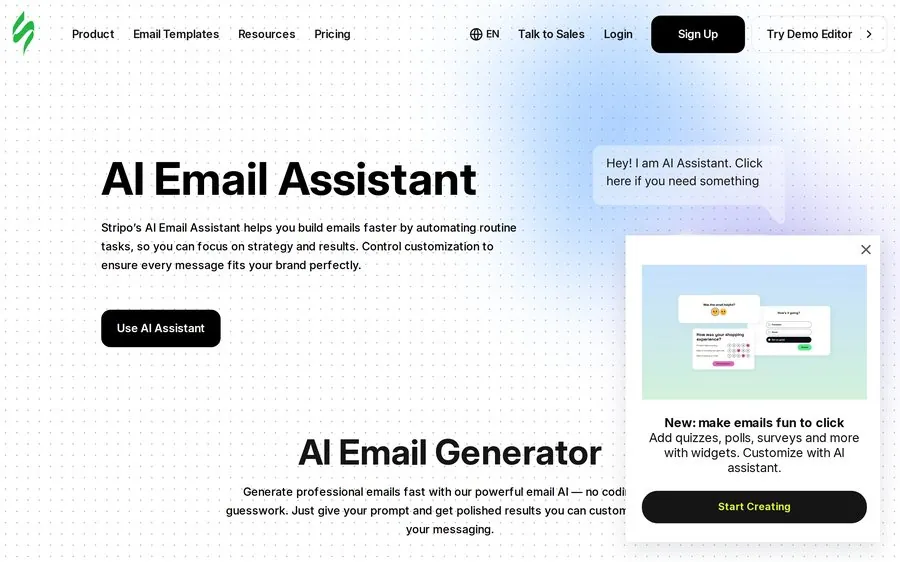
Stripo AI Assistant product screenshot
Stripo's AI Assistant page — generate a full, editable, on-brand email from a URL or prompt.

Stripo is an email design platform with an AI Assistant that turns a landing-page URL or a text prompt into a complete, on-brand email in minutes — then hands you a full visual editor to change anything. It's the pick when the email itself is the deliverable and you export to an ESP you already use.

▸ Key features

  • AI drafts a full email (copy, subject lines, imagery) from a URL or prompt
  • AI image generator plus AI alt-text for accessibility (ADA/WCAG)
  • Brand Guidelines Kit keeps every send on-brand at scale
  • Campaign translator and tone options for multilingual teams
  • many ESP/CRM integrations with one-click export and clean HTML
  • AMP, interactivity, real-time co-editing and version history
Pricing
See the linked official pricing source for current plans.
Free tier
Availability and limits change; confirm on the official pricing source.
Best for
Design-grade emails

Pros

  • Design-grade output you can fully edit — nothing locked
  • Exports clean, client-tested HTML into any ESP
  • Generous free plan (see current pricing) to evaluate properly
  • Strong for both marketers and developers (dual visual + HTML editing)

Cons

  • It's a design/production tool, not a sender — you still need an ESP to deliver
  • AI assistant is polished but still benefits from human editing
  • Advanced security (SSO, custom roles) sits on higher tiers

How it works — Stripo AI Assistant

  1. Paste a URL or prompt; the AI drafts an on-brand email
  2. Refine tone, layout and copy in the visual builder
  3. Export or push to your ESP in one click
2

Mailchimp AI Best for: All-in-one SMB marketing

Mailchimp AI product screenshot
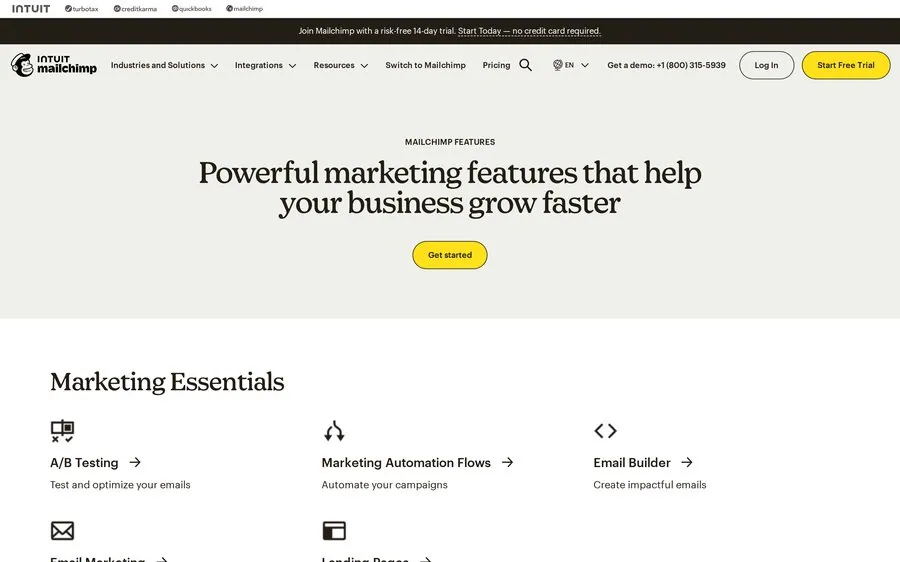
Mailchimp's features overview — AI Creative Assistant and content tools across an all-in-one platform.

Mailchimp's AI (Creative Assistant, Content Optimizer, and Intuit Assist) generates templates, subject lines and copy inside the most familiar all-in-one platform for small businesses. Approachable and broad, though the best AI sits on paid tiers.

▸ Key features

  • Creative Assistant generates templates and social ads from brand assets
  • Content Optimizer suggests copy, subject lines and layout tweaks
  • Intuit Assist (beta) drafts campaigns from your brand kit
  • Predictive segmentation and send-time optimization
  • many integrations including Shopify and WooCommerce
Pricing
See the linked official pricing source for current plans.
Free tier
Availability and limits change; confirm on the official pricing source.
Best for
All-in-one SMB marketing

Pros

  • Very beginner-friendly, huge template library
  • AI integrated naturally into existing workflows
  • Broad multichannel reach (email, SMS, social, landing pages)

Cons

  • Free plan heavily cut (current contact allowance, 500 sends); automation stripped
  • Contact-based pricing climbs fast as lists grow
  • Generative AI features mostly on Standard tier and up

How it works — Mailchimp AI

  1. Set up your brand kit (logo, colors, fonts)
  2. Prompt the Creative Assistant or Content Optimizer
  3. Refine, then schedule across channels
3

HubSpot AI Best for: CRM-driven B2B

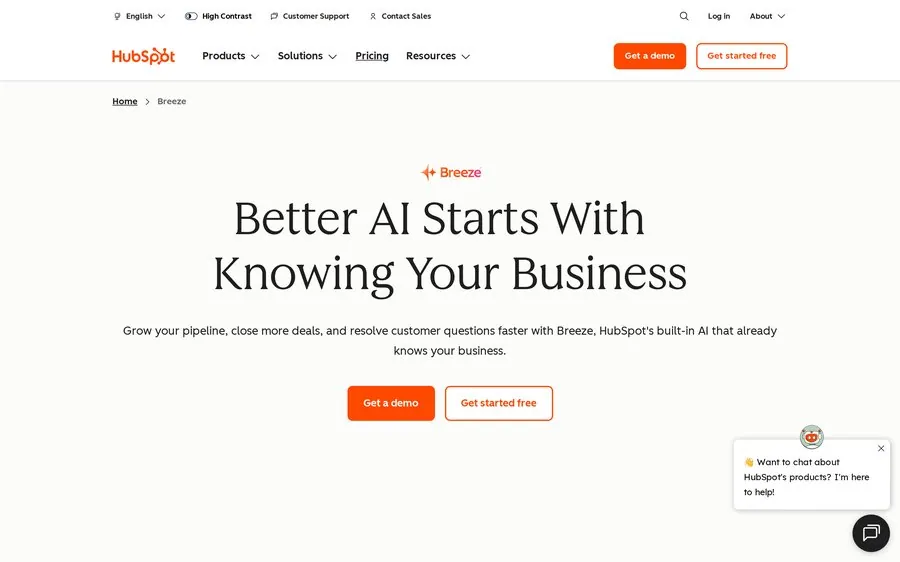
HubSpot AI product screenshot
HubSpot's AI (Breeze) — email generation tied directly to Smart CRM data.

HubSpot's Breeze AI writes complete emails from prompts and — crucially — pulls from the Smart CRM so personalization references lifecycle stage, product data and behavior. The strongest fit for B2B SaaS teams whose email is driven by pipeline.

▸ Key features

  • AI Email Writer drafts full emails: subject, body, CTAs
  • Content pulls from CRM properties and lifecycle stage
  • Slash commands and highlight-editing in the editor
  • Breeze Copilot available even on the free plan
  • Design import from Figma, Klaviyo or Mailchimp
Pricing
See the linked official pricing source for current plans.
Free tier
Availability and limits change; confirm on the official pricing source.
Best for
CRM-driven B2B

Pros

  • Deepest CRM-native personalization for B2B
  • Breeze Copilot accessible on free CRM tier
  • many app marketplace integrations

Cons

  • Full AI suite tied to expensive higher hubs (Pro — see current pricing)
  • Paid-tier onboarding terms vary; confirm them with the vendor.
  • Overkill if you only need email, not a whole CRM

How it works — HubSpot AI

  1. Connect your CRM and inbox to HubSpot
  2. Prompt the AI Email Writer with goal + audience
  3. Insert CRM personalization tokens, then send
4

Klaviyo AI Best for: Ecommerce predictive analytics

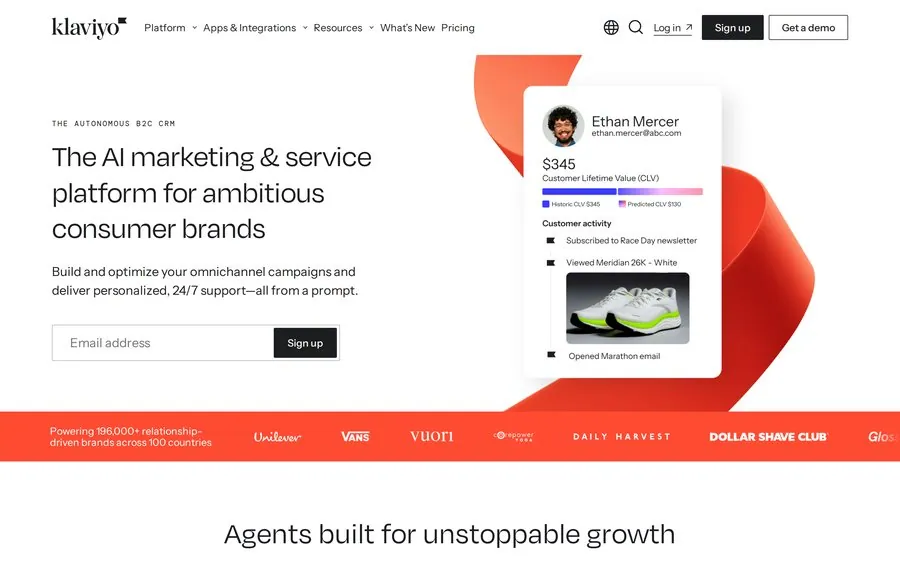
Klaviyo AI product screenshot
Klaviyo — generative and agentic AI (K:AI) built on an ecommerce customer data platform.

Klaviyo pairs generative AI copy tools with the most sophisticated predictive analytics in ecommerce: expected next-purchase date, predicted lifetime value, churn scores and product recommendations — all from real purchase history. Its K:AI agent answers questions and builds campaigns.

▸ Key features

  • Predictive analytics: next-order date, CLV, churn probability
  • K:AI agent for questions, recommendations and campaign building
  • AI copy and subject-line generation
  • AI segmentation ('likely to purchase in 30 days')
  • Real-time customer data powering workflows and forms
Pricing
See the linked official pricing source for current plans.
Free tier
Availability and limits change; confirm on the official pricing source.
Best for
Ecommerce predictive analytics

Pros

  • Best-in-class predictive AI for ecommerce
  • AI included on all paid tiers, not enterprise-locked
  • Deep Shopify integration and SKU-level personalization

Cons

  • Free plan (current contact allowance) excludes AI tools
  • Usage-based pricing scales with profiles + sends
  • Largely irrelevant for non-ecommerce / B2B SaaS

How it works — Klaviyo AI

  1. Connect your store to sync ecommerce data
  2. Let AI build segments and predictive audiences
  3. Generate campaign copy and deploy triggered flows
5

ActiveCampaign AI Best for: Deep automation + AI

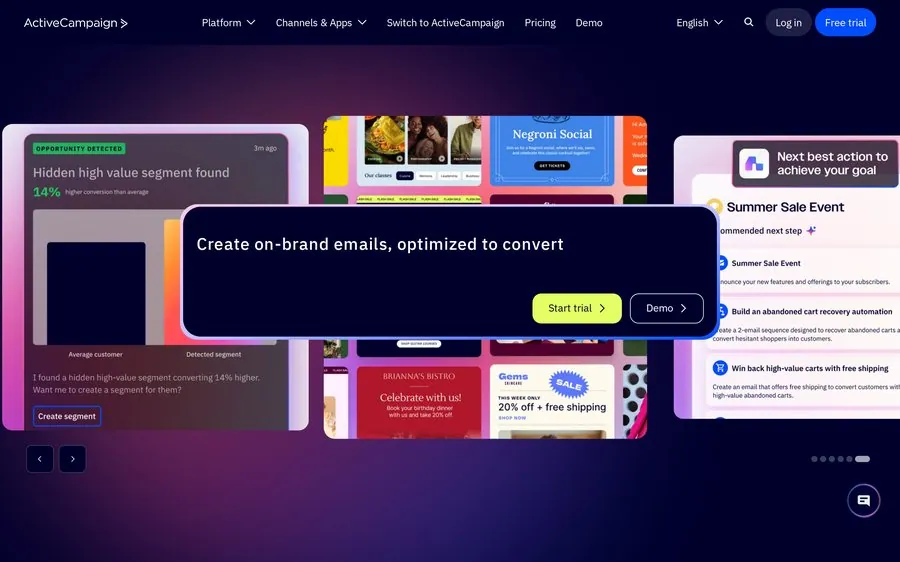
ActiveCampaign AI product screenshot
ActiveCampaign — Active Intelligence generates full campaigns atop a deep automation platform.

ActiveCampaign wraps AI around one of the most expressive automation builders on the market. Active Intelligence generates a complete campaign — subject, preheader, layout, images, content, CTA — from a single prompt, plus predictive sending and win-probability scoring.

▸ Key features

  • Active Intelligence generates full campaigns from one prompt
  • AI Brand Kit auto-applies logos, fonts and colors
  • Predictive sending and win-probability scoring
  • many automation recipes (welcome, cart, re-engagement)
  • many native integrations, free data migration
Pricing
See the linked official pricing source for current plans.
Free tier
Availability and limits change; confirm on the official pricing source.
Best for
Deep automation + AI

Pros

  • Most flexible multi-branch automation builder
  • AI campaign generation plus predictive analytics
  • Free migration at all tiers

Cons

  • No free plan — trial only
  • Starter caps automation actions; real use needs Plus+
  • Feature depth can feel overwhelming at first

How it works — ActiveCampaign AI

  1. Describe your campaign goal in one prompt
  2. Active Intelligence drafts subject, layout and content
  3. Drop it into an automation recipe and customize
6

Brevo AI (Aura) Best for: Budget multichannel

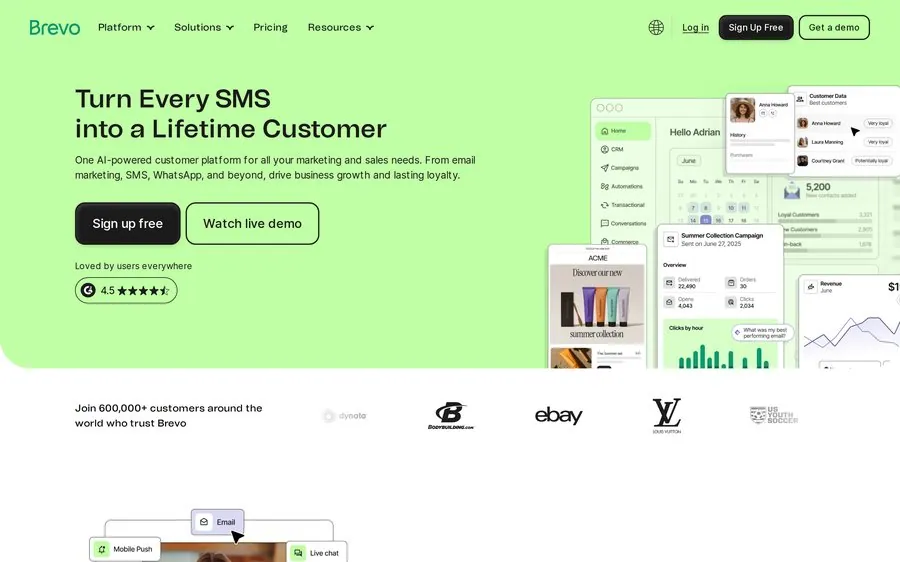
Brevo AI (Aura) product screenshot
Brevo — Aura AI assistant, included on every plan, across email, SMS and WhatsApp.

Brevo's Aura assistant generates and refines titles, paragraphs, buttons, images and subject lines with rewrite/translate/tone controls — and it's included on all plans, including free. Add pay-per-send pricing and native multichannel, and it's the value pick.

▸ Key features

  • Aura generates and rewrites copy, images and subject lines
  • Auto-translates templates and adjusts tone
  • Included on all plans, including the free tier
  • Predictive send-time optimization
  • Native email + SMS + WhatsApp from one workflow
  • MCP server connects your account to AI tools like Claude
Pricing
See the linked official pricing source for current plans.
Free tier
Availability and limits change; confirm on the official pricing source.
Best for
Budget multichannel

Pros

  • AI on every plan — not paywalled
  • Pay-per-send pricing (cheap for low-engagement lists)
  • Usable free plan: current email allowance, large contact allowance

Cons

  • AI quality is practical but modest, not predictive
  • Workflow logic shallower than ActiveCampaign
  • Free tier lacks A/B testing, popups, push

How it works — Brevo AI (Aura)

  1. Open Aura from the editor or main menu
  2. Prompt it to generate or rewrite a section
  3. Translate or adjust tone, then send multichannel
7

GetResponse AI Best for: Course creators & launches

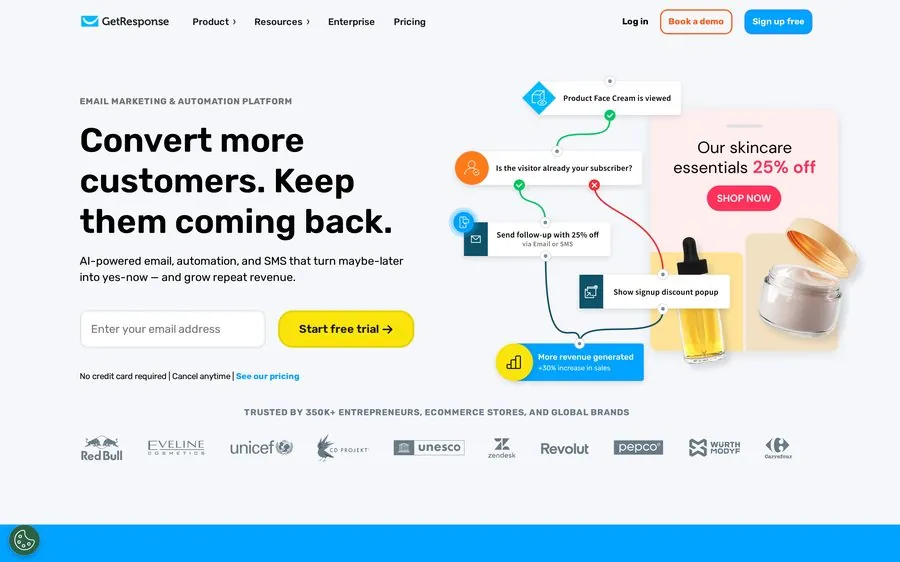
GetResponse AI product screenshot
GetResponse — AI Email Generator builds a full newsletter from a short Q&A.

GetResponse's AI Email Generator creates a complete newsletter from a few keywords and a chosen design, with an AI subject-line generator in the flow. Its standout is Perfect Timing send-time optimization. Strongest for course creators and product launches.

▸ Key features

  • AI Email Generator builds full newsletters from a Q&A
  • Choose layout + color palette; AI subject-line generator
  • Perfect Timing send-time optimization
  • AI landing pages, websites and autoresponders
  • Built-in webinars (up to the current published allowance on higher plans)
Pricing
See the linked official pricing source for current plans.
Free tier
Availability and limits change; confirm on the official pricing source.
Best for
Course creators & launches

Pros

  • Fast full-campaign generation for launches
  • Free plan up to current contact allowance
  • Rare built-in webinar hosting

Cons

  • AI is broad but shallow — no learning from your data
  • Advanced automation reserved for higher tiers
  • Weak fit for SaaS lifecycle / B2B segmentation

How it works — GetResponse AI

  1. Enter keywords, audience and email type
  2. Pick a tone, layout and design preset
  3. AI generates the newsletter; review and send
8

Omnisend AI Best for: Shopify / ecommerce flows

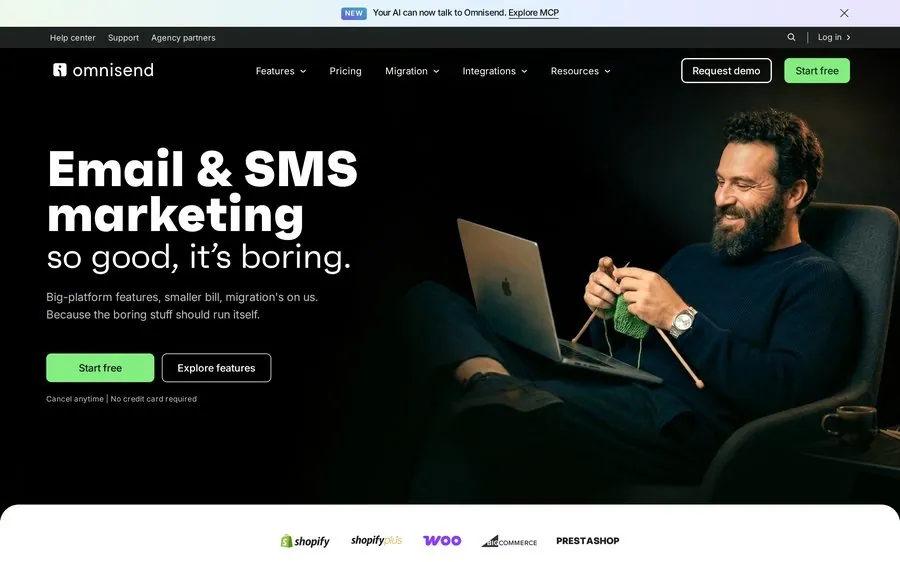
Omnisend AI product screenshot
Omnisend — AI writer and Brand Assets AI tuned for ecommerce email + SMS.

Omnisend is built for online stores. Its AI writer drafts full emails, the Brand Assets AI applies your colors, logo and fonts automatically, and AI product recommendations drop dynamic picks into campaigns. Pre-built AI-tuned flows cover cart and browse abandonment.

▸ Key features

  • AI writer drafts complete emails and analyzes existing copy
  • Brand Assets AI auto-applies branding to every template
  • Subject-line and preheader generator
  • AI product recommendations via dynamic content
  • AI segment builder from plain-language prompts
  • Pre-built flows: cart, browse, post-purchase
Pricing
See the linked official pricing source for current plans.
Free tier
Availability and limits change; confirm on the official pricing source.
Best for
Shopify / ecommerce flows

Pros

  • Generous free plan (current contact allowance, standard features)
  • Deep Shopify / BigCommerce / WooCommerce integration
  • Multichannel email + SMS + push in one workflow

Cons

  • Features heavily tailored to ecommerce
  • SMS credits get pricey on lower tiers
  • Feature set feels irrelevant for non-store SaaS

How it works — Omnisend AI

  1. Connect your store and import brand assets
  2. Prompt the AI writer or pick an AI-tuned flow
  3. Add dynamic product blocks and launch
9

MailerLite AI Best for: Creators & small lists

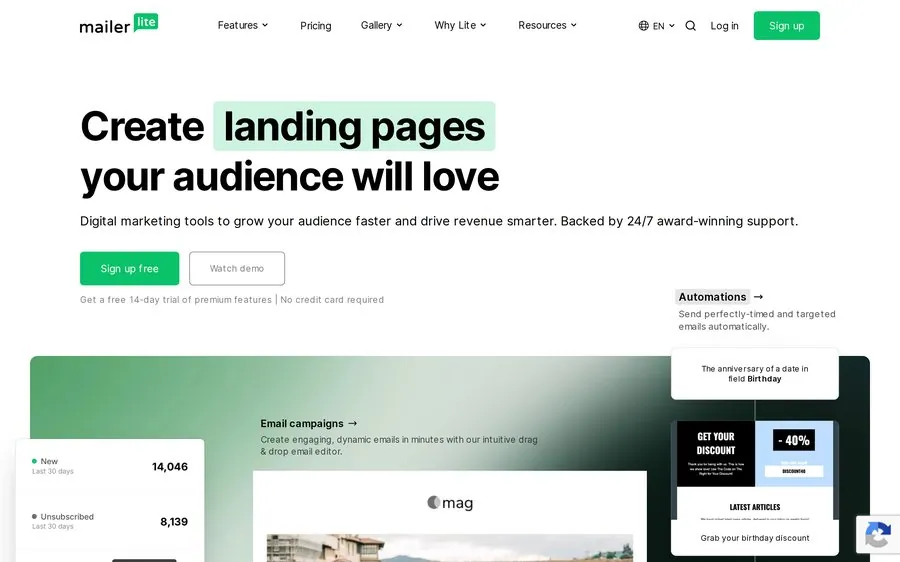
MailerLite AI product screenshot
MailerLite — AI writing assistant inside a clean, low-cost drag-and-drop editor.

MailerLite bundles a solid AI writing assistant — titles, paragraphs, CTAs, rewrites, plus subject-line suggestions — into one of the cheapest credible platforms. The AI isn't differentiated, but it's good enough for first drafts, and the editor is a pleasure.

▸ Key features

  • AI writing assistant for titles, paragraphs, CTAs and rewrites
  • AI subject-line suggestions in campaign setup
  • Clean drag-and-drop editor, many templates
  • Unlimited landing pages on paid plans
  • Signup forms and spin-the-wheel popups
Pricing
See the linked official pricing source for current plans.
Free tier
Availability and limits change; confirm on the official pricing source.
Best for
Creators & small lists

Pros

  • Among the cheapest credible platforms with AI
  • Clean, genuinely pleasant editor
  • Honest, transparent pricing

Cons

  • AI limited to higher (Advanced) plan
  • No predictive analytics or individual send-time
  • Fewer AI capabilities than most rivals here

How it works — MailerLite AI

  1. Open the AI assistant in the drag-and-drop editor
  2. Generate or rewrite titles, paragraphs and CTAs
  3. Add an AI subject line and send

Decision logic

How to choose the right AI email assistant for you

Match the tool to the job, not the hype. The fastest way to a good pick: start from your primary use case.

If the email itself is the deliverable →
Pick Stripo AI. Design-grade output, full editing, and one-click export into whatever ESP you already send from.
If you want one tool for email + everything →
Pick Mailchimp AI or Brevo AI — all-in-one, beginner-friendly, AI baked into campaign creation.
If your email is driven by CRM data (B2B) →
Pick HubSpot AI. Content pulls from lifecycle stage and CRM properties for genuinely personalized sends.
If you run an ecommerce store →
Pick Klaviyo AI (predictive high-end) or Omnisend AI (Shopify-first flows out of the box).
If you live in complex automation →
Pick ActiveCampaign AI — the most expressive workflow builder, with AI that generates whole campaigns.
If budget is the top constraint →
Pick Brevo AI (pay-per-send, AI on all plans) or MailerLite AI (cheap, clean, good enough first drafts).

Common mistakes — the usual reasons this goes wrong

  • Shipping the first draft unedited. AI output is a starting point. The most common failure is publishing generic copy that reads like AI — always add a real detail, a metric, or a customer specific only your team knows.
  • Buying for AI that's paywalled. On several tools the AI that actually matters (predictive send-time, deep personalization, account-level learning) lives on tier two or three. If the AI is why you're choosing, budget for the tier where it unlocks.
  • Ignoring export & rendering. A beautiful draft that breaks in Outlook is a broken email. Check that your tool exports clean, client-tested HTML — the single most-cited reason design-led SaaS teams add Stripo alongside their ESP.
  • Picking an ecommerce tool for a B2B SaaS flow. Klaviyo and Omnisend are superb for stores and largely irrelevant for trial-to-paid lifecycle email. Match the tool's DNA to your motion.

Hands-on

How to use an AI email assistant — mini tutorial

Walked through with our top pick, Stripo AI. The same shape applies to most tools on this list: brief in, draft out, then you refine.

Give it a source: a URL or a prompt

Paste your landing-page or product URL, or describe the email ("trial-ending reminder for a SaaS project-management app, friendly but urgent"). The assistant reads your brand cues — colors, logo, fonts — and drafts around them.

Pick tone, structure & language

Choose a tone preset (professional, playful, urgent), the email type (onboarding, announcement, re-engagement), and a language. The AI returns a full draft: subject, preview text, body, CTA, and layout.

Edit in the visual builder

This is where design-grade tools pull ahead. Drag blocks, rewrite any line, swap AI-generated images, tweak spacing. Nothing is locked — you're editing a real template, not a flat preview.

Export or push to your ESP

One-click export to Mailchimp, HubSpot, Brevo, Klaviyo, or download clean HTML. Send a test to yourself first and check it in Outlook, Gmail, and on mobile before it goes live.

Example output — from the prompt in step 1
Subject: Your Flowdesk trial ends Friday — keep your boards
Hi Marianna, Your Flowdesk trial wraps up this Friday. Your three active boards and the automations you set up are ready to keep going — nothing's lost if you upgrade before then. Teams that switch in week one ship roughly 30% more on-time (based on our onboarding cohort, Q1 2026). Pick up where you left off: → Keep my workspace Questions before you decide? Just reply — a real person reads these.

Note: the metric above is illustrative. In a real send, back every claim with your own data (source, sample, period) — that's what separates a trustworthy email from AI filler.

Answers

Frequently asked questions

Are AI email assistants free?+
Several vendors publish a free tier or trial, but eligibility and usage limits change. Use the official pricing sources below to confirm which AI features are included before relying on a plan for production.
How does an AI email assistant actually work?+
You provide a brief — a prompt, keywords, or a URL — and a large language model generates structured email content: subject line, preview text, body, and CTA. Design-focused tools also generate or apply layout and imagery based on your brand assets. CRM-connected tools (HubSpot, Klaviyo) additionally pull customer data to personalize content. You then review, edit, and send. Most tools run generic models per request; only a few (HubSpot Breeze, ActiveCampaign) build lasting context from your account data over time.
What's the best free AI email assistant?+
For design-grade output you can export anywhere, Stripo's free plan is the strongest starting point. For a free all-in-one sender with AI included on every plan and pay-per-send pricing, Brevo is hard to beat. The "best" depends on your criterion: Stripo for the email as a deliverable, Brevo for cheapest ongoing sending with AI included.
Which AI email tool is best for SaaS companies specifically?+
It depends on your motion. For polished lifecycle and product emails where design and clean exportable HTML matter, Stripo ranks first here. For CRM-driven B2B nurture tied to pipeline, HubSpot is the natural fit. For heavy multi-branch automation, ActiveCampaign. SaaS teams often pair a design tool (Stripo) with their existing ESP rather than forcing one tool to do both.
How do I get better results from AI-generated emails?+
Be specific in the brief: state the goal ("convert trial users to paid"), the audience, the key benefit, and the exact CTA. Generate a few variations, then edit — never ship the raw draft. Add one concrete detail only your team knows (a real metric with its source and period, a customer story). Insert personalization tokens from your CRM. Finally, always send a test and check rendering in Outlook and on mobile before the real send.
Can AI write the whole email, or just parts of it?+
Both, depending on the tool. Full-campaign generators (Stripo, ActiveCampaign's Active Intelligence, GetResponse's AI Email Generator, Mailchimp) draft complete emails including layout. In-editor assistants (MailerLite, Brevo's Aura) are better at generating or rewriting individual pieces — titles, paragraphs, buttons, subject lines. If you want a full draft from one prompt, choose a campaign generator; if you mostly need help polishing sections, an in-editor assistant is enough.
Do these tools support multiple languages and tone control?+
Most do. Brevo's Aura auto-translates templates and adjusts tone; Stripo includes a campaign translator and tone options; Mailchimp, HubSpot, and others offer tone rewriting. For SaaS teams selling across regions, check specifically for translation of full templates (not just copy) and whether tone presets survive the export.
Will AI-generated emails hurt my deliverability?+
Not inherently. Deliverability is driven by sender reputation, list quality, engagement, and content structure — not by whether copy was AI-written. What can hurt you is shipping generic, low-engagement content at volume, or emails with broken rendering. Some tools use AI to help deliverability (predictive send-time, disengaged-contact suppression). Keep lists clean, personalize meaningfully, and test rendering.

The verdict

The verdict

For SaaS teams where the email itself is the deliverable — polished, on-brand, and exportable into whatever you already send from — Stripo AI Assistant is our top pick, judged on design-grade output quality and full customization. If your priority shifts, the runners-up earn their place: Mailchimp and HubSpot for all-in-one and CRM-driven B2B, Klaviyo and Omnisend for ecommerce, ActiveCampaign for automation depth, and Brevo, GetResponse and MailerLite for budget-friendly, AI-included sending. Best overall for SaaS remains Stripo AI Assistant.

Methodology and sources

We ranked the tools for this audience using workflow fit, editing control, collaboration, export options, accessibility and implementation effort. Stripo is transparently ranked first because it best matches the stated criteria; this site is not presented as a neutral lab test. We reviewed official product and pricing pages on July 24, 2026. Volatile point-in-time review scores and unsupported exact prices were removed instead of estimated.

Reviewed and updated: July 24, 2026. Always confirm current plan terms with the vendor before purchasing.

Ready to test the top pick?

Start with a real workflow, export the result to your sending platform, and compare the production effort with your current process.

See Stripo AI Email Assistant